Productivity and workflows
You open the task list on a Tuesday morning, and the screen is a wall of red text. Out of twenty active items, fifteen carry a tag that says "urgent",...
In a company of ten people, one question gets asked about five times a day, and it is “where is this at?”
The answer always sits with one person, and never the same one twice. The state of the work lives inside people's heads, and the only way to get it out of a head is to interrupt the person attached to it. A Kanban board does exactly one thing about that. It moves the answer onto a surface where everybody sees the same thing without asking.
Project management does not have to be complicated. Kanban is not a methodology rollout. It is the decision that the state of the work stops travelling by word of mouth.
The question itself takes half a minute. That is not where the cost sits.
Look at what happens around it. A salesperson asks a colleague whether a quote is finished. The colleague is in the middle of something else and answers forty minutes later. Until then the salesperson cannot call the customer back, so they switch to something else, and when the answer arrives they have to find their way back to where they stopped. Two people lost their focus, and no work got done in between.
This repeats many times a day. For a manager it accumulates differently. On Monday morning they go around the team to assemble a picture, which by Wednesday is out of date again, because everything has moved. Collecting statuses becomes a job of its own, and it delivers nothing.
The most expensive version is when the question never gets asked at all. Everyone assumes somebody else is carrying it, and the task sits untouched for a week because no one had a reason to check.
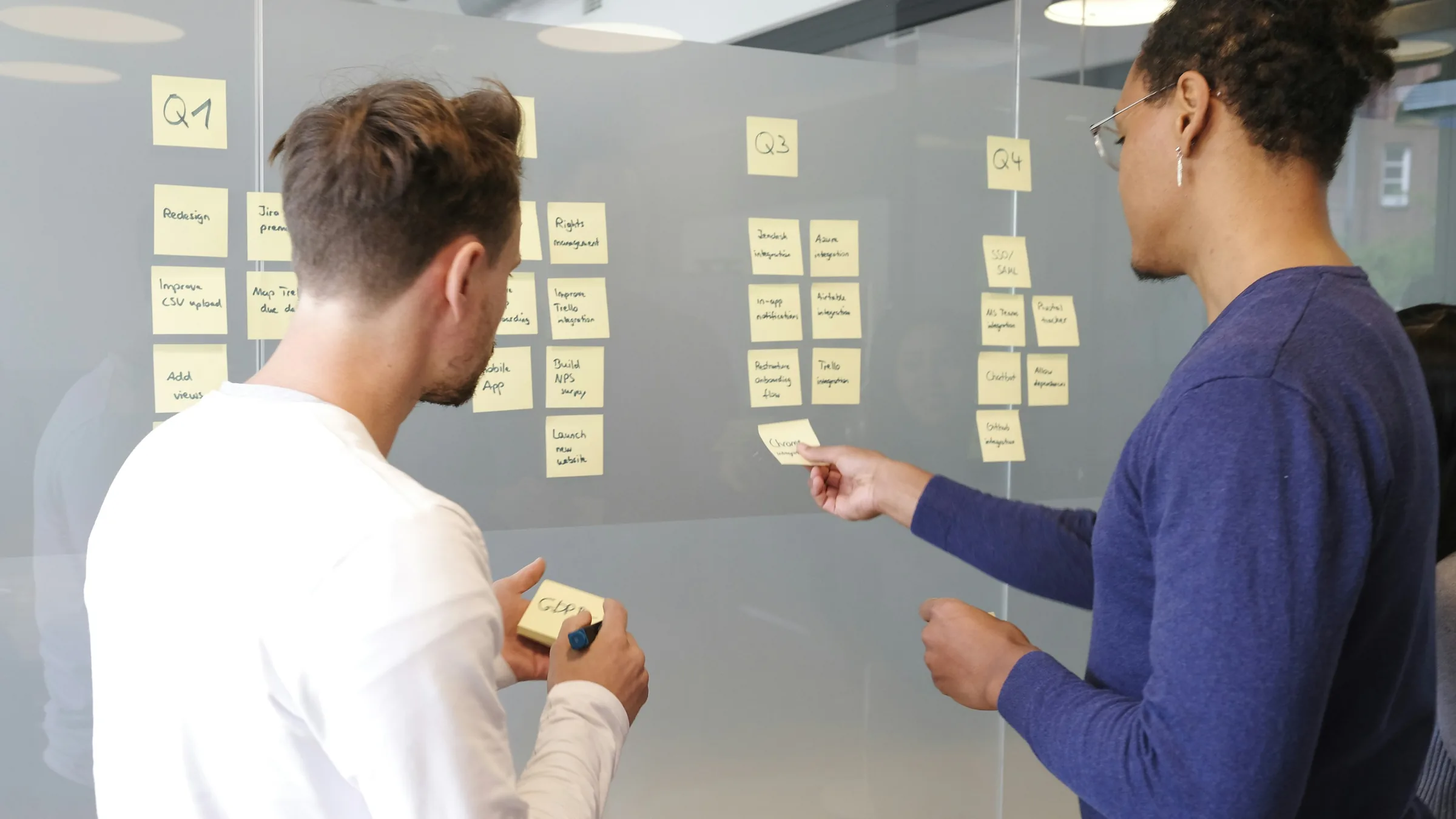
Kanban is a visual method in which every task sits on a board as a card, and the card moves across columns such as To do, In progress and Done. That makes the state of the process visible, so nobody has to be asked where a task stands, and when priorities shift you find out before the next weekly round. It also shortens the list people carry in their heads, because nobody has to remember who took what on.
The value is not in the columns. It is in the fact that moving a card is a public act. When someone pulls a card into the middle column, they have taken it on. If it has been sitting there for a week, nobody has to report that, because it shows. That is the real shift. Reporting does not get better, it becomes unnecessary.
A badly used board is worse than no board.
The first failure is running it in parallel. Email and hallway conversations continue as before, and the board sits beside them, updated afterwards by somebody. In that setup the board is not a source of truth, it is a second layer of admin, and the team is right to resent it.
The second is too many columns. If a task passes through nine states, moving the card becomes work in itself, and the board shows nothing extra in exchange for the clicks.
The third is the silent board. Fifty cards sit in the middle column, each assigned to someone, and nobody can say which ones are actually being worked on today. That is the same fog as before, only now it has colours.
A board works when it is the only place the state of the work lives, and when fewer cards are in progress than there are people to work on them.
The Kanban part of IntrApp is built around the everyday workflows of small and mid-sized teams. You create as many boards as you have projects, and archive or delete the finished ones, so the workspace does not turn into an unreadable pile after two years. The overview shows who is working on what and where each task stands without anyone having to ask, and deadlines and status changes are announced by the system rather than by a colleague who happened to remember.
The difference compared with a standalone board tool is what sits next to the card, the customer it belongs to, the conversation about it, and the files. You do not have to move to another interface to understand what the task is about.
Whether a board is still in use two weeks later comes down to a few things. Keep the columns few, since To do, In progress and Done covers most teams. Colours and labels are worth something only when there are not many of them and everyone reads them the same way. Archive the finished boards, because completed projects take the space away from the ones still moving. Agree once, out loud, on what a column means and when a card moves, because it does not end up the same in everyone's head on its own.
Adoption succeeds when there is one moment in the day where the board touches reality. For most teams that is a ten minute morning pass over the board, where instead of listening to updates you walk through the cards in progress and decide, for each one, what has to happen for it to move. Anything that has not moved since yesterday explains itself right there.
Email and spreadsheets are not bad because they are old. They are limited because both are snapshots. An email describes what was true when it was sent, and a spreadsheet describes the moment someone last updated it. A board is the state of the work itself, not a report about it.
That is why nobody has to send file versions around, and why what one person wrote down in a message does not disappear. Anyone who looks can see who is working on what and what the next step is, so the conversations that remain are the ones that actually decide something.
A board exists so that work cannot stop unnoticed. Where it cannot stop unnoticed, a board has no job to do.
That covers work finished in a single sitting. Phone-based admin, serving a customer at a counter and a repair carried out on site do not carry a state. Either it is done, or somebody is doing it right now. There is no moment where a task waits and nobody knows about it.
It also covers work that never changes hands. If each person takes their own case from start to finish, there is no handover, and therefore none of the contact points where things tend to fall off the table.
So it is not headcount that justifies a board. It is waiting. If your process has a point where one person waits on another, you already have an invisible queue there. Nobody is writing it down. We wrote about spotting that separately, in the article on the signs you have outgrown your systems.
IntrApp is not another program added to the end of the queue. It is the Business Operating System the company runs on, not a CRM and not an ERP, and the board is simply one view of what is already inside it. IntrApp covers what a small or mid-sized company does day to day, without the complexity. If you are looking for the deepest possible tool in one specific area, you will find something better than us, and that is how it should be. That is not a gap. It is a decision.
The goal is not for your team to have a board. The goal is that nobody has to ask where things are.
Updated: 25 August 2026
If this topic is useful to you, these are good ones to read next.
Productivity and workflows
You open the task list on a Tuesday morning, and the screen is a wall of red text. Out of twenty active items, fifteen carry a tag that says "urgent",...
Productivity and workflows
It is Friday afternoon. The office is quietening down, but you have a blank spreadsheet open on your screen. You need to know how the week went, what got...
Productivity and workflows
You sit down at your desk on a Tuesday morning, and your calendar is already a solid block of colour. There is a quick sync at nine, a project update at...
The demo shows an invented company with all its data filled in, and it needs no sign-up. A few features are switched off in it, and it resets every night.