The decision everyone remembers differently
A week later everyone tells a different story about what was agreed, and nothing was
written down that would settle it.
You organise the meeting in IntrApp, the invitation lands in the attendees' calendars, and afterwards the minutes record the decisions and the commitments. One click turns a commitment into a task in the project, so who promised what does not stay in someone's notebook.
A meeting starts as a draft, and invitations only go out when you publish it. It always comes with a calendar event, where attendees accept or decline, and you can see all their replies together on the meeting.
After the meeting, the minutes must include a summary, followed by items that can be decisions, action items (commitments to do something), open questions or notes. Without a summary the meeting cannot be closed. While the minutes are missing, the system reminds you every working day, up to ten times.
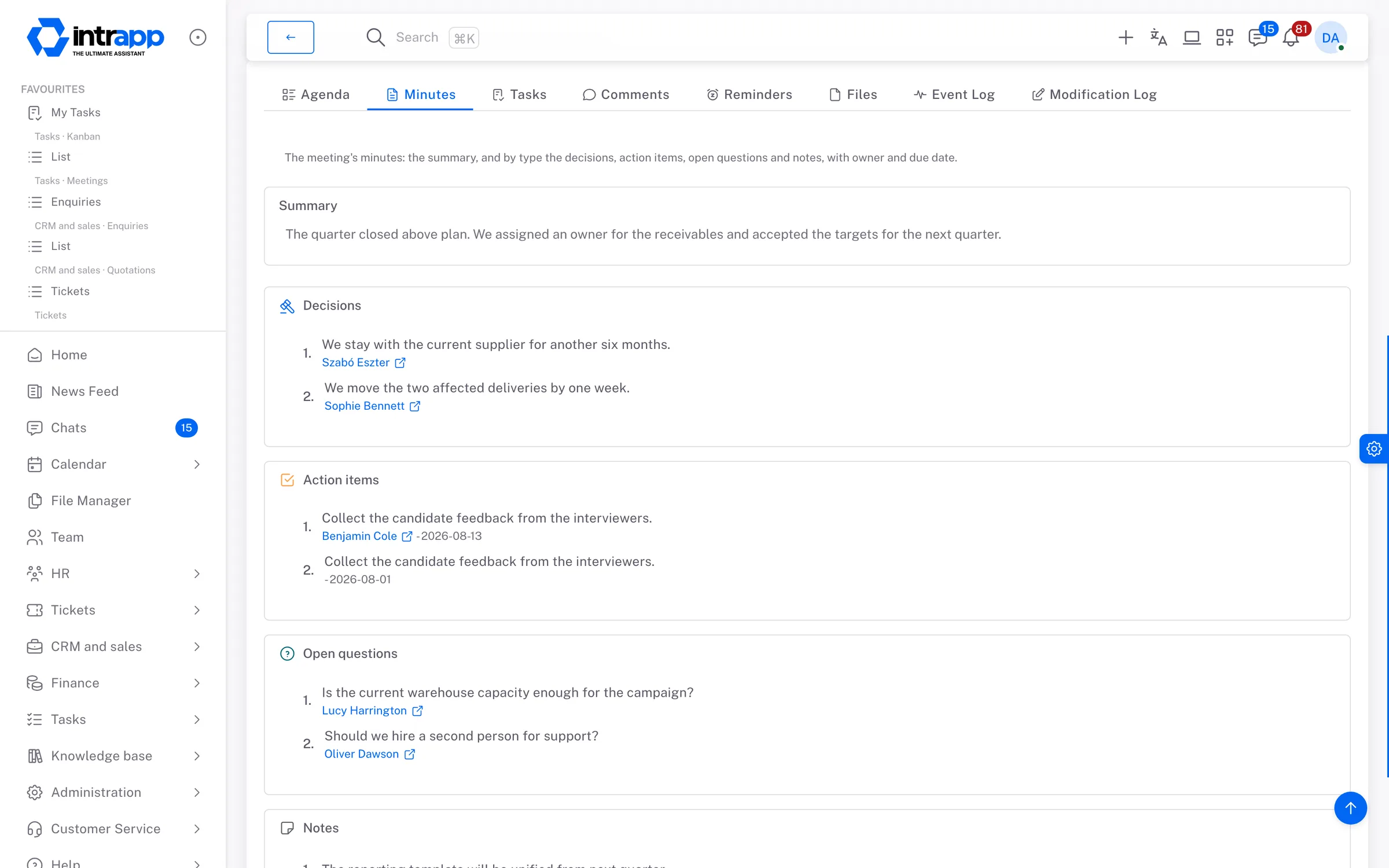
You hold the call wherever you hold it now, and the event can carry the link to the online meeting. IntrApp keeps in order what happens before and after the call, from the invitation and the agenda to the decisions and the commitments.
The meeting appears in the calendar, and the next five are shown on the home screen. A tab on the customer's record lists the meetings held with them, and action items continue on the project board. Search covers the agenda and the minutes too, but only what you are allowed to see.
A meeting is visible to its creator, its attendees and its viewers, and to no other colleague. Tasks can be created from the minutes by anyone allowed to create project tasks, and only in projects they are a member of.
There is no video calling and no audio recording. Open items from earlier meetings are added to the next one by hand for now, an external attendee cannot reply to the invitation inside the system, and the system does not work out what a meeting costs.
If your meetings run on a video conferencing system, there is no need to replace it. IntrApp keeps a record of what you agreed there.
If a kind of item or a view is missing, write to us. If roughly three quarters of our customers would use it too, we build it for free and every customer receives it. Whether a request falls into that group is our decision, because we are the ones who see the whole customer base. We do not promise a delivery date, but we do promise that the request enters development.
In the demo you can see, on sample meetings and sample projects and without signing up, how a commitment becomes a task. You can try it with your own data and your own team during the free trial.
Want to see how this would work for you? We will call you back.