The document nobody can find
Three colleagues search their mailboxes and their own drives for a contract signed two
years ago, and when a version turns up, nobody is sure it is the final one.
In IntrApp you do not have to put a file away yourself, because it is attached to the customer, the task or the ticket it belongs to. You can search inside the contents of files, and the file history shows who worked with them and when. There are no scattered shared drives and no versions nobody can vouch for.
Every user has a personal folder, and you can set up shared folders alongside it. The folder structure is not the point, though. When you attach a file to a customer, a task, a ticket, a knowledge base article or a note, IntrApp puts it in the right place by itself. You do not have to hunt for a folder, and nobody has to argue about whether the customer's name or the year goes first in the file name.
The file history records every file and folder action for the past thirty days, together with who did it and when. This covers uploading, renaming, moving, sharing, previewing, downloading, deleting and restoring. It is not surveillance, but an answer to the question nobody can currently answer, which is what happened to this file.
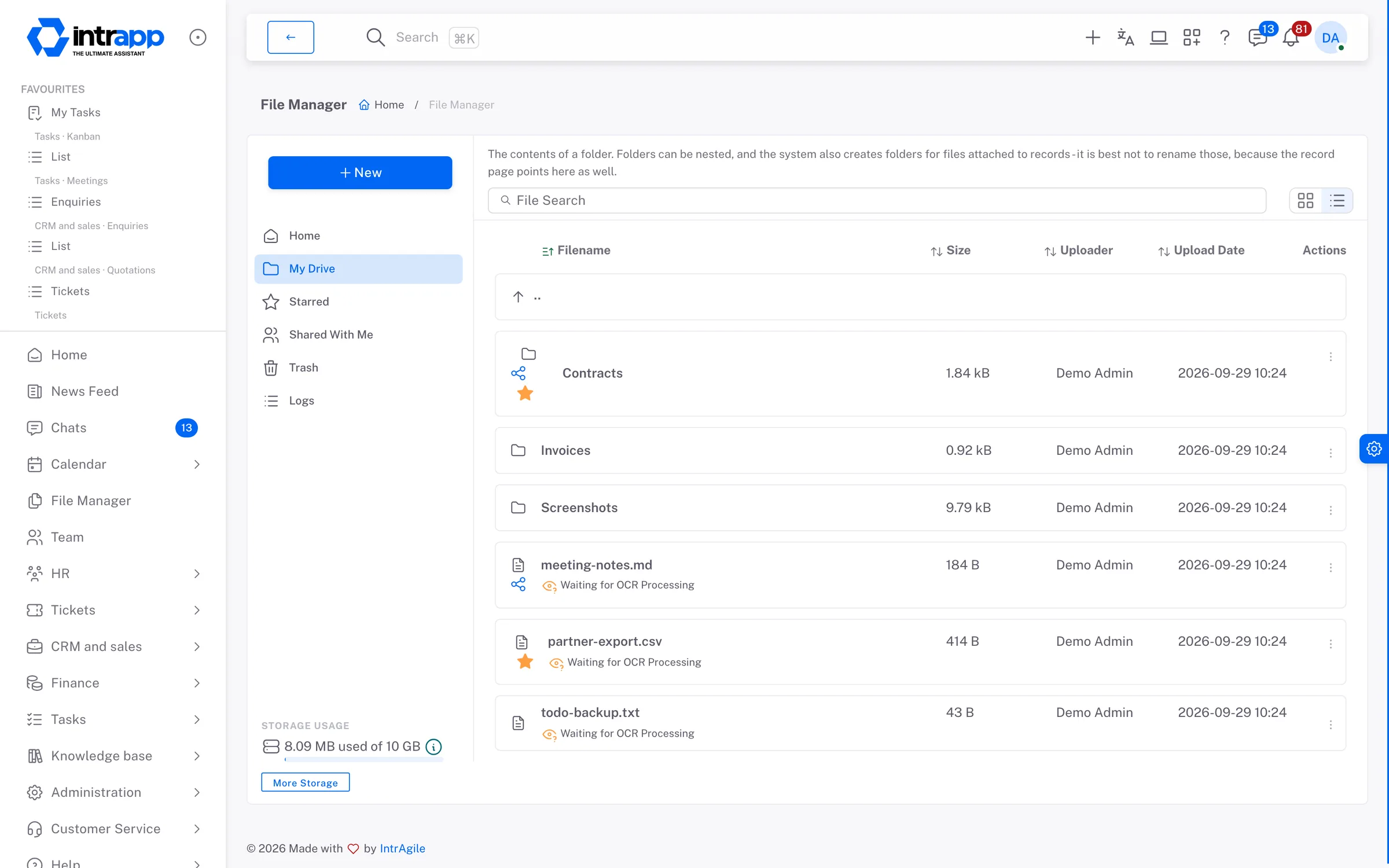
Traditional document management systems are full of features that slow down the working day, from complex permission tables and multi-step approvals to mandatory data forms for every file. In a growing company the problem is rarely a missing retention policy. Far more often, an important contract cannot be found.
File handling is connected to the rest of the system. Every related contract opens straight from the customer's record, the specification attached to a task is there for whoever picks the task up, and the attachments of knowledge base articles are kept in the same place. The file history records events the same way everywhere.
Who sees what depends on the kind of data. By default only you can see your files, and you share them with named people, with read or edit access. You can open a folder to one colleague or to a team. Only administrators can see the detailed file history.
There are no multi-step approvals and no regulatory compliance archive. The file history records who accessed files and how, but not the full version history of a document.
If you work in a regulated industry and the full lifecycle of your documents has to stand up to an official audit, a dedicated system will serve you better. IntrApp is made for everyday company paperwork, kept simple and dependable.
We did not make these questions up; they are the ones prospective customers ask us most often. None of the answers is that you will get used to it.
If an export option or a filter is missing, tell us. If roughly three quarters of our customer base would use it, we build it for free, and every customer gets it. We decide whether a request falls into that group, because we can see the whole customer base. We do not promise a delivery date, but we do promise that the request goes into development. Anything specific to your company is built under a separate agreement.
The demo shows the whole system with sample projects, sample customers and sample documents, with no sign-up and no card, and you cannot break anything because it resets every night. To try it with your own files, that is what the trial is for.
Want to see how this would work for you? We will call you back.