English
Open the demo
Internal system for SMEs

Knowledge base

What the company knows, in one place, next to the projects, the customers and the tasks. The internal wiki attaches to the daily work: the write-up sits where somebody will actually look for it, and the search reads the body of the article, not just its title.

Why this page exists

What it actually solves

The search nobody puts in the calendar

You need a contract signed two years ago and nobody knows who saved it or where. Three colleagues go through their mailboxes, and what turns up is a version nobody will call the final one. It happens several times a week, always out of the day of whoever is busiest.

The question answered for the tenth time

How do we book holiday. Who signs off overtime. Which supplier are we under a framework agreement with. The answers exist, they are just not written down, so the same two people get interrupted for them.

Versions you cannot vouch for

The same document sits in a shared folder, in an email attachment and on somebody's laptop, each slightly different. Nobody will say out loud which one is current.

The knowledge that resigns

When a key person leaves, the customer and process knowledge goes with them, because nobody ever asked them to write it down.
Our approach

Being found, not being elaborate

Traditional document systems arrive full of things that slow the day down: permission matrices, approval chains, metadata schemes. In a growing company the problem is not a missing archiving policy. It is that an important contract simply cannot be found. The goal was not to build something heavy, but to make sure everyone finds what they are looking for straight away.

1 place the process is written down
~30 min automated setup
0 implementation fee
Knowledge base

Write it down once, so you do not explain it again

The knowledge base is your internal wiki: processes, rules, how-to guides and the answers to the questions that keep coming back, written as articles. Instead of asking you, the team asks the search box and finds the answer in seconds.

Categories in your own words

There is no structure you have to adopt. You split it the way people in the company actually talk about the work, because that is how they will search for it.

Formatted, with files attached

Subheadings, lists, emphasis, and the documents that belong to the article sit on it. A process write-up becomes a page a new colleague reads to the end rather than a block of text they abandon.

Onboarding from day one

Most first-day questions are the same for every new starter. Once the answers are written down, the new person reads them instead of interrupting whoever is mid-delivery.
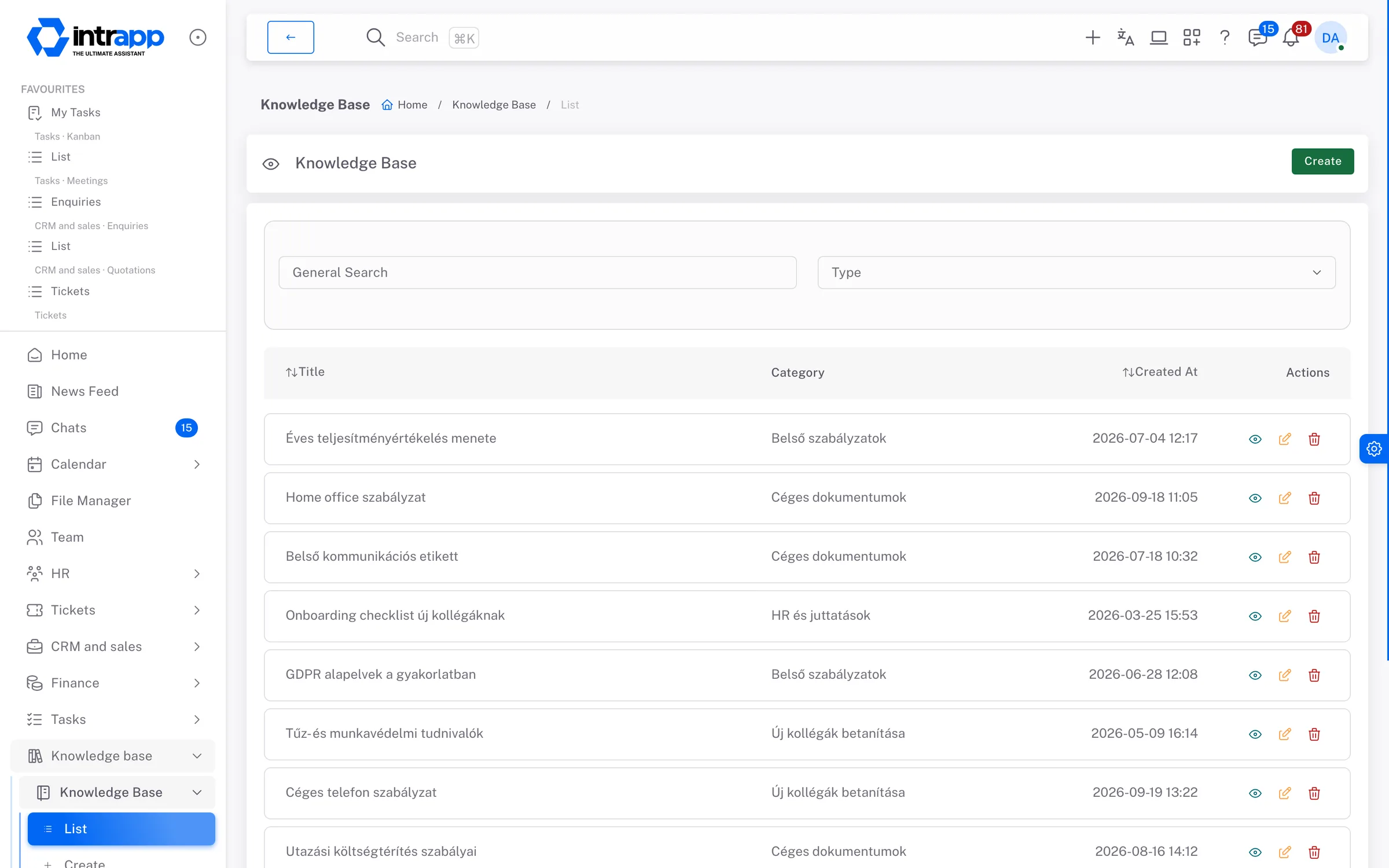
The knowledge base in IntrApp: the list of articles with their category and creation date, from policies to onboarding.
How it fits together

One surface instead of separate storage

What makes it work is the connection to everything else:

Who sees what

The knowledge base is deliberately flat

If you have access, you see every article. That is a decision, not an oversight. An internal wiki earns its keep by removing the question of whether you are allowed to read the process description, and nobody should have to maintain a permission matrix so that a colleague can find out how to book holiday. Files and notes work differently, because they are different things, and both are set out on their own pages.

What you will not find here

Clean handling instead of unnecessary complexity

There are no approval chains, no retention policy and no compliance archive. If you work in a regulated industry and the lifecycle of your documents has to stand up to an audit, that calls for a dedicated system and you will be better off with one.

The knowledge base is for people inside the company, not a public customer portal. Nor does having somewhere to put the knowledge fill it: what realistically happens is that over the next six months you write down the twenty things you currently explain every week, and after that you are only keeping them current.

Common questions

“What if the team does not use this one either?”

Most abandoned internal wikis died for the same reason: they lived in their own application, behind another password and another search box, in a tab nobody opens unprompted. Here the write-ups sit where the daily work and the tasks already are, which makes reading them part of the routine rather than a detour.

“Do we need training?”

There is a manual and a step-by-step walkthrough inside the app, so people find their own way in. No training days, and nobody has to become the in-house expert.

“What does it cost to start?”

Automated setup takes about half an hour. There is no implementation fee and no compulsory consulting day.

“How flexible is the trial?”

During the trial you work in your own instance with your own data, and if it turns out not to be right, you cancel it.
If something is missing

Ask for it, and you may not have to pay

If a template or a category is missing, you can write to us about it. Whatever roughly three quarters of our customers would use, we build for free, and every customer gets it. What is specific to you gets built under a separate agreement.

Two different things

The demo is for looking, the trial is for deciding

They are not the same thing, and it matters which one you start with. To look around and get a feel for the screens, the demo is the better choice; to actually decide, you want the trial.

The demo

A shared environment anyone can open, with no sign-up. It runs on the full data of a made-up company, so you see customer records, histories and tickets with things actually in them rather than empty lists. Some administrative functions are switched off, and every night it resets to its base state: whatever you create there is gone by morning.

The trial

Your own instance, with full functionality and your own customer data. This is where it shows whether the software fits the way you work. If you decide it does not, you cancel it like a streaming subscription, with nothing to settle.