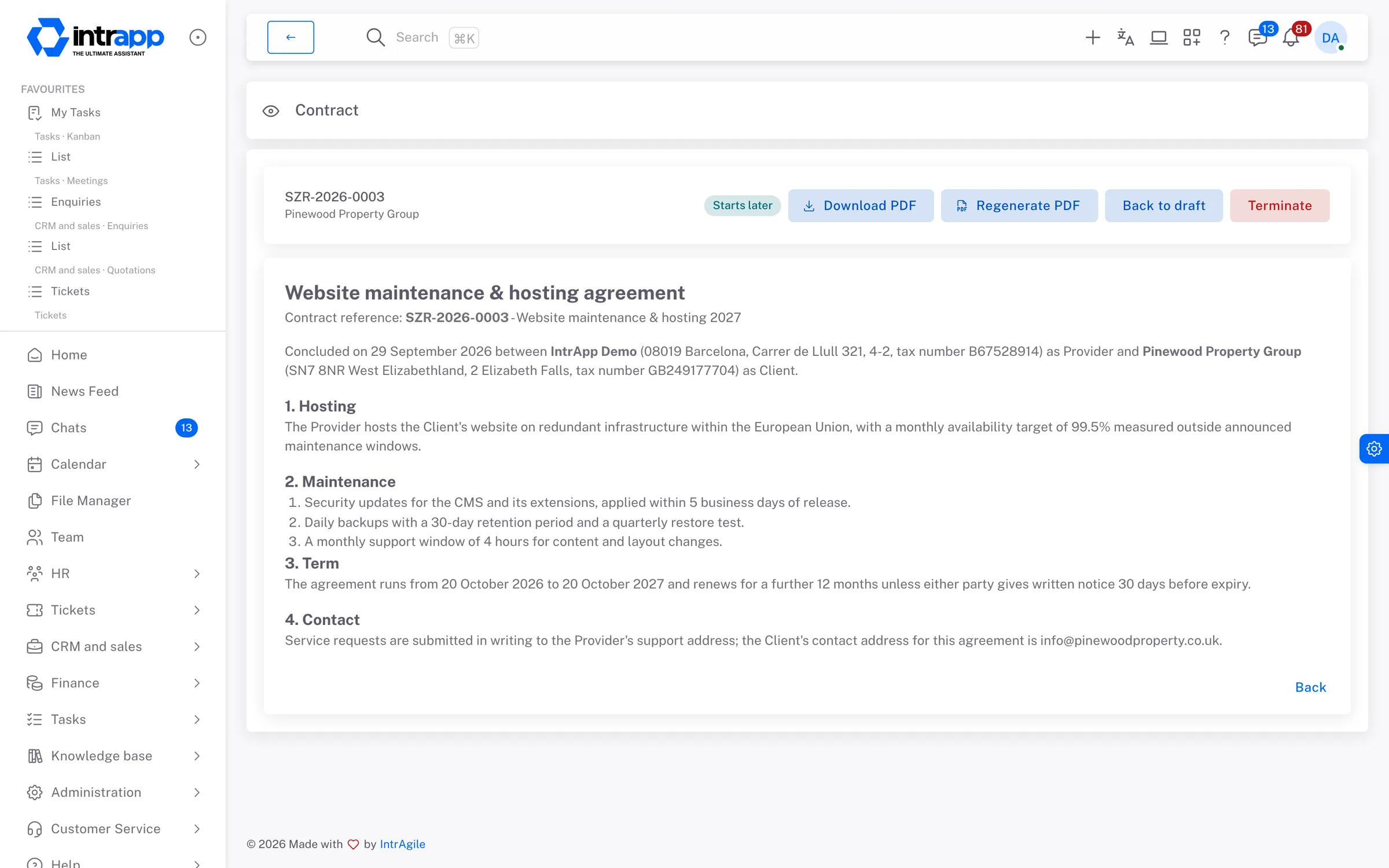
You create a contract from a template, and IntrApp fills in the real details of the customer, the contact and your own company. You can still edit the text, finalising it produces a PDF, and before the contract expires IntrApp reminds whoever has to deal with it.
The copy that still has last year's customer in it
You open the previous contract, change the name, the address and the date, and one
field always gets missed. Usually the customer spots it, not you.
The expiry nobody knew about
A fixed-term contract runs out, and it turns out that the only person who knew about
the renewal was a colleague who no longer works for you.
Which version did we sign?
A year later there is a dispute, and the shared drive holds four files with almost
the same name. Nobody can say for sure which one is final.
Templates
A template with variables, not an old contract rewritten
In the template, variables, meaning placeholders to be filled in, stand where the specific details go. These include the customer's name and registered address, the contact, and your own company's registration number, bank account and representative. When you create a contract, IntrApp fills them with the real data, so whatever you have entered once for a customer or your company never has to be typed again.
A preview that tells you what is missing
The preview flags two kinds of problem, an unknown variable and missing data, each
with a button to fix it. An unknown variable is fixed in the template, and missing
data is added to the customer's record or your company details. The preview itself
creates nothing.
Dates in the contract's language
A Hungarian contract shows “2026. január 1.”, and an English one shows “1 January
2026”. Your customer does not have to work out an unfamiliar date format.
Fixing a template does not rewrite a signed contract
The template text is copied when the contract is created. If you improve the template
next year, contracts already concluded stay exactly as they were.
Finalising
What you signed does not change in the system
A contract can only be finalised once no variable is left empty. Finalising produces a PDF with your company details and logo in the header, and a two-column signature block if you want one, and the contract gets its own reference. That way, a signed paper and the text in IntrApp cannot differ.
Every status change logged
A contract can be a draft, finalised or terminated. Every status change goes into
the event log and into the customer's log as well, so a year later you can still
show what you signed and when.
Termination, and undoing it if needed
A finalised contract can be terminated, and the termination can be withdrawn. A
draft does not need terminating, you simply delete it, and it can be restored for
thirty days.
The PDF where you look for it
The finished PDF also appears on the contract's Files tab, and if it ever needs to
be produced again, one button does it.
Expiry
A reminder before expiry, to the right person
A contract has a start date and an expiry date, and if the expiry date is left empty, the contract is open-ended. The list shows which contracts start later, which are active, which expire soon and which have expired. By default, the owner and the person who created the contract are notified thirty days before expiry, both in IntrApp and by email.
Once, not every day
The reminder goes out once, so it never becomes noise you learn to ignore. If a
contract does not need one, you can switch it off.
An owner who will still be there
For a three-year contract, choose an owner who will still work for you in three
years, because the reminder goes to them. That way, the renewal does not depend on
someone happening to remember.
demo.intrapp.io
How far we go
Filling in contracts, not giving legal advice
IntrApp handles filling in and keeping records, not the legal wording. The two sample templates you get at installation are for trying the module out. Have a professional check the text of any live contract, because whoever uses it is responsible for its legal content.
6groups of variables in templates
30 daysbefore expiry it reminds you, by default
1reminder, not a daily series
How it connects
The contract belongs to the customer
The contract appears on the customer's record, and its status changes appear in the customer's log. The contact comes from the contact directory and your company details from your master data, while the finished PDF is stored with the files. So there is no separate folder to keep in order.
Who sees what
The same as every other module
Access to contracts is based on roles. In the permission table you set who can list, create, edit and delete contracts, and every status change shows who made it.
What you will not find here
Everyday contracts, not a contract management system
IntrApp has no electronic signature, no multi-step approval chain and no legal review of the text.
If your contracts involve rounds of legal negotiation, a specialist contract
management tool will serve you better. IntrApp keeps your recurring, template-based
contracts in order.
Frequently asked
What most people ask at this point
Can we use our own contract wording?
Yes. Your own text becomes a template, and you insert variables where the details
change. The two sample templates are only there for trying the module out.
What if some data is missing for a customer?
The preview shows what is missing and where, with a button that takes you to the
place to fill it in. While anything is empty, the contract cannot be finalised, so
it never goes out with a blank field.
How long until the first contract is ready?
Setting up takes about half an hour, and the two sample templates let you try it
straight away. Your own template takes as long as pasting in the text and adding the
variables.
Missing features
Ask, and you may not have to pay for it
If a variable or a status is missing, tell us. If roughly three quarters of our customers would use it too, we build it for free and every customer gets it. We decide whether a request falls into that group, because we see the whole customer base. We do not promise a delivery date, but we do promise that the request goes into development.
The demo shows, with sample customers, the two sample templates and no sign-up, how a contract comes together. You can try it with your own contract wording and data during the free trial.
The cookies needed to run the site are always on. We use statistics and marketing cookies only with your consent, and you can change your decision at any time under Cookie settings in the footer.
Privacy policy