Systems and tools
Walk into the main office of an installation company on a Tuesday morning, and you will see a large screen on the wall displaying the daily schedule. The...
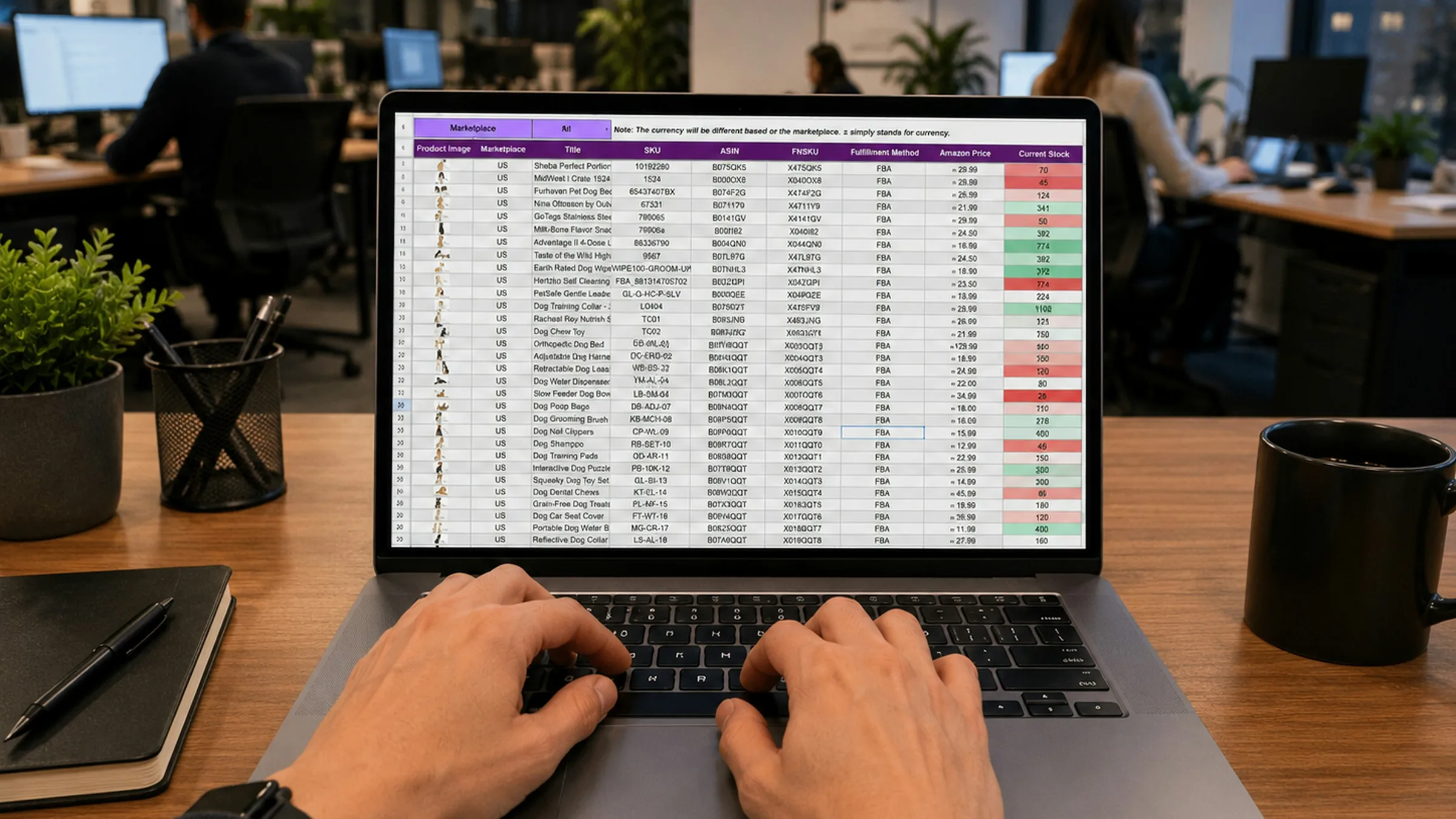
Nearly every small and mid-sized business starts in Excel. Customer lists, project tracking, quotes, follow-ups.
A spreadsheet is rows and columns, where a row describes what it says right now. Not what it said yesterday, and not who changed it. Almost every limit below follows from that single property.
A spreadsheet is not a bad tool. It is a precise tool for a narrow job, which is calculation.
If you have a pricing sheet that turns twenty lines into a total, leave it exactly where it is. The same goes for any one-off list, from the attendees for an event to a stock count or a quick comparison between two suppliers. Anything you fill in once, use once, and need nobody else for belongs in a spreadsheet, and it should stay there.
The trouble is not with the spreadsheet. The trouble is that a tool built for calculation gets used as a record. A record has to do four things. It has to let several people write to it at once, make something happen on its own, show different people different things, and answer questions about the past. A spreadsheet does none of the four, and never claimed it would.
Somebody wants the customer list in alphabetical order. They select the name column and sort it. Just that one column. The names rearrange themselves, the phone numbers and amounts beside them stay exactly where they were, and from that moment every row holds two different customers' details side by side. No error appears. The file looks tidier than it did before.
That does not surface for weeks. It surfaces when you call somebody on the wrong number, or when a customer queries an amount they were never given.
A smaller version of the same thing happens daily. You add a row at the bottom of a list and the total above it does not include the new row, because the formula's range stayed where it was. The number is right there, perfectly legible, and wrong.
What both have in common is that the file cannot tell you who did it or when. That is why everyone ends up working in their own copy with a date on the end of the filename, and why two weeks later there are three files, each holding rows the others do not.
The cost is not the time spent fixing it. The cost is that from then on, every number has to be double-checked against whether it came from the right place. The hours you can absorb. The confidence you lose in your own data you cannot.
In a spreadsheet, everything that happens, happens because a person did it. Statuses do not update themselves, reports do not assemble, reminders do not go out.
Every Monday morning somebody spends half an hour copying three files together into one list for the weekly meeting. That half hour will never shrink, because it learns nothing from the last one, and as the company grows it will get longer.
The half hour is not even the expensive part. The expensive part is that the list is only ever as current as one person's Monday morning. If they are off sick there is no list, and the meeting becomes a conversation about what people remember.
A spreadsheet is shared whole or not at all. Anyone who can see one row can see all of them.
The customer list has the notes in it, and a column holding the discount one particular client was given. A new colleague needs contact details for two of those clients. Either they get the whole thing, or somebody copies two rows into a separate file for them. The second happens more often, because it is easier, and now there are two files.
So the absence of permissions rarely turns up as a security problem day to day. It turns up as copies. Every attempt to narrow access creates another file, and every file is another place where a number quietly goes stale.
A spreadsheet shows you what it says. It does not show you what it used to say, and it does not know when that changed.
Which means you cannot ask it which customers have had no contact for sixty days. Or how long a quote sat before it was sent. Or who decided this client gets a different price, and when.
You do have answers to those questions, but they are not in the file. You ask whoever remembers. That works fine for as long as that person is still there, and for as long as they actually remember.
This limit has nothing to do with size. A three-person company runs into it the moment it wants to know something about the past. Companies do not outgrow spreadsheets by getting bigger. They outgrow them by starting to look backwards.
Not all of it. The most common mistake is trying to replace every spreadsheet at once, spending six weeks on it, and ending up back where you started.
Move the file more than one person writes to first. That is the expensive one, because that is where the overwrites and the multiplying copies live, so that is where the gain is biggest too.
Move the record you want to ask questions about second. Usually that means customers and jobs, because those are the ones where what happened last time matters.
Leave the rest. The calculations, the stock counts, the one-off lists are fine where they are, and there is nothing wrong with them staying there permanently. Follow that order and you will know within a fortnight whether it was worth it, because you started with the costly file rather than the easy one.
Companies leaving spreadsheets often land in a tool that is very deep in one single area. Specialist software genuinely is deep. The catch is that most users never understand or use most of that depth, so depth is not what comes after a spreadsheet. Breadth and clarity are.
IntrApp is not another program at the end of the list. It is the Business Operating System a company runs on, which is to say not a CRM and not an ERP.
The most common fear after spreadsheets is having to learn something. That is why there is a manual and a built-in walkthrough, so when you do not understand something, the app tells you. You do not need us to start either. The automated setup takes around thirty minutes, and we do not bill for implementation or training.
This article was about the limits of one tool. The signs that your company has outgrown how it works, whatever tools it uses, are a separate article.
Updated: 25 August 2026
If this topic is useful to you, these are good ones to read next.
Systems and tools
Walk into the main office of an installation company on a Tuesday morning, and you will see a large screen on the wall displaying the daily schedule. The...
Systems and tools
Your company already runs on something. Not a CRM and not an ERP, but the system your work, your customers and your decisions actually run on.
Systems and tools
Five signs, and none of them depends on which software you run. Plus the three situations that look exactly like this but are not.
The demo shows an invented company with all its data filled in, and it needs no sign-up. A few features are switched off in it, and it resets every night.